
Students are able to bring their own device (BYOD) to school once they are in Year 5. On this page you will find out all the information you need to know. Although encouraged, BYOD is not compulsory.
Keeping Safe – Using Our School Values
We endeavour to do our best to keep children safe online. There are a number of ways in which we do this. First and foremost we use our school values, to education the children in making good choices when learning online. We also have infrastructure in place to keep our children safe, i.e., Hapara and N4L. This allows us to filter and view online activity from any device. We follow the recommended best practice from Netsafe New Zealand. We recommend that you have a look at their parent portal. Click on the button to access this site.
Years 5-8 Using Our Values Online
We ask all students and caregivers in Years 5 – 8 to discuss and sign our “Using Our Values Online Agreements’ annually. You can view and download this below.
Years 0-4 Using Our Values Online
We ask caregivers of students in Years 0 – 4 to discuss and sign “Using Our Values Online Agreements’ annually. You can view and download this below
BYOD- What do you agree to?
For your child to bring their own device you and your child must sign the BYOD Agreement below.
What to buy
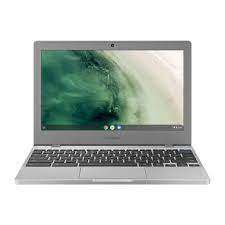
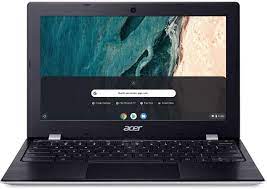
We have found that most children find Chromebooks very easy to use. Many of our school Chromebooks are ACER and Samsung ones and they seem to be very durable. However, any device with a screen size greater than 7 inches, 32GB and with WiFi connectability is suitable.
Devices will also need to travel to and from school in a protective sleeve/satchel. A set of headphones is also needed to help your child to concentrate and ensure that they don’t disturb others when viewing and creating files that have sound.
Frequently Asked Questions
Students bringing their own devices raises lots of questions for parents. We have put together a list of all the questions we have been either been asked or think you may ask and done our best to answer them on the form below. Scroll down to read them. Hopefully you will find the answers to most of your questions here. If you do have a question that is not answered please email Tracey Mora and she will endeavour to get back to you asap.